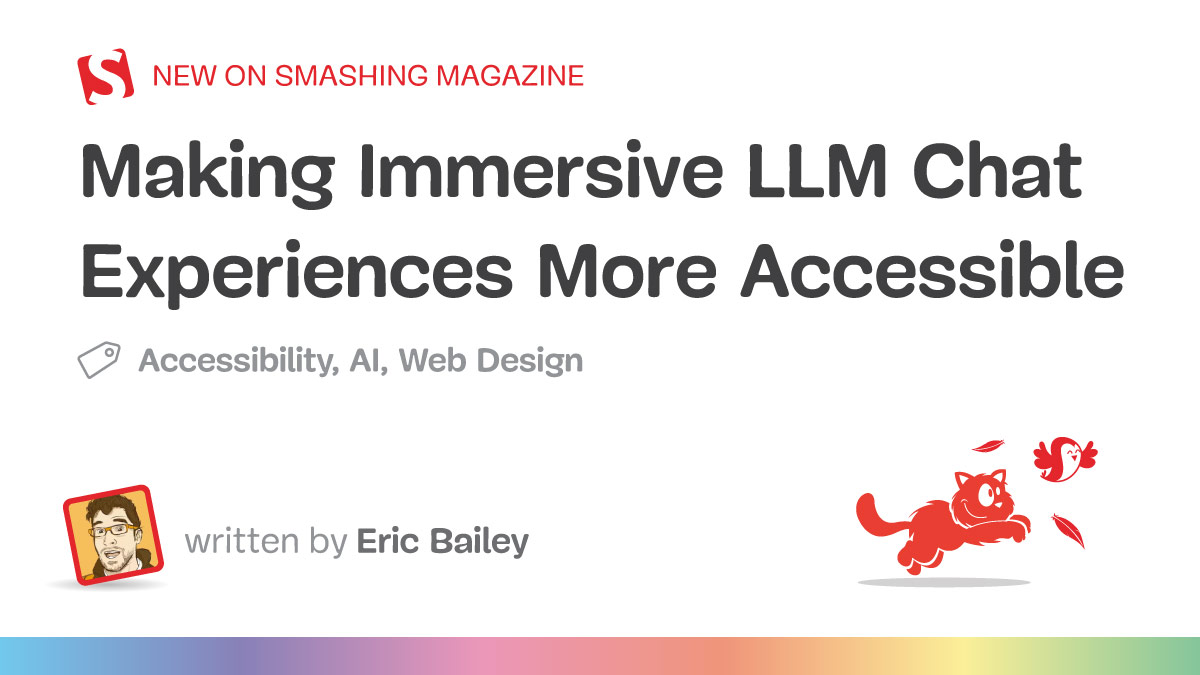
As Large Language Model (LLM) chat interfaces rapidly cement themselves as a foundational layer of modern digital architecture—from customer support applications and coding assistants to full-screen web applications like Claude, ChatGPT, Gemini, and GitHub Copilot—the imperative for universal accessibility has never been more urgent. Accessibility is not a secondary enhancement or an optional compliance checkbox; it is a core pillar of a functional digital ecosystem.
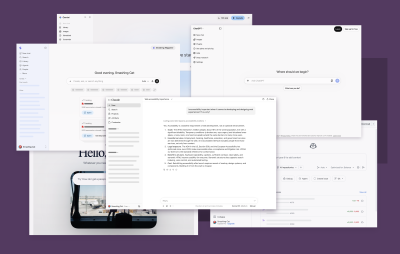
Without deliberate, foundational design choices that account for assistive technologies, the widespread proliferation of the LLM chat pattern risks enacting widespread digital exclusion. In this context, exclusion translates directly into real-world losses: the loss of knowledge, economic opportunity, utility, employability, and entertainment.
Drawing from extensive, specialized work in optimizing immersive chat interfaces for screen readers, keyboard-only navigation, and alternative assistive software, digital accessibility expert Eric Bailey outlines the structural frameworks required to bridge the gap between visual design paradigms and non-visual user experiences. This report details the technical methodologies, usability considerations, and strategic design shifts necessary to ensure that AI-driven web and desktop applications remain open, equitable, and usable for everyone.
Detailed Chronology & Core Architectural Patterns
The integration of artificial intelligence into everyday digital interactions has accelerated dramatically over the past several years. Initially, LLM interactions manifested as simple, peripheral widgets—pop-up chat windows in the corner of a screen, inline text generation utilities, or automated summarization tools. However, the paradigm has decisively shifted toward immersive LLM chat experiences: full-screen web applications and native desktop applications wrapped in frameworks like Electron or Tauri.
As these applications matured, designers and developers largely defaulted to highly visual paradigms, often overlooking how these interfaces translate to assistive technologies. Historically, software creation suffers from an overwhelming visual bias. Because human culture is intensely visual, digital outputs unconsciously reflect and reinforce that perspective, creating structural barriers for individuals who are blind, have low vision, or rely on non-visual navigation tools.
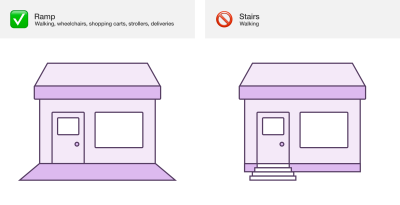
To dismantle these barriers, developers must understand the typical journey of an LLM chat user through the lens of the social model of disability—the concept that disability is not merely an individual medical condition, but the result of environments built without accounting for diverse human bodies and cognitive styles.
Overcoming the Visual Bias: Live Region Announcements
For a sighted user, the arrival of an LLM response is visually self-evident: text streams onto the screen inside a designated message bubble, signaling that the system has processed the request. A screen reader user, however, receives no such visual cue. Unless explicitly engineered otherwise, the DOM updates silently, leaving the user stranded with a blank or unresponsive experience.
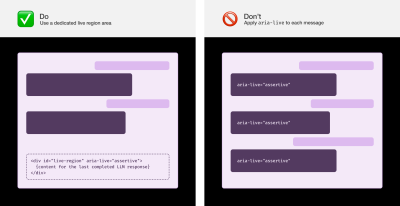
To achieve functional parity, developers must implement live region announcements. Rather than forcing users to continuously move their focus away from the prompt input field to check for replies, a dedicated live region placed at the end of the Document Object Model (DOM) can dynamically announce completed responses.
However, implementing live regions requires precision to avoid creating a frustrating user experience:
Avoid Streaming Announcements: Triggering a live region announcement as text streams in character-by-character creates an incomprehensible, juddering audio experience. Systems should wait until the message has completed streaming before announcing the full text.
Communicate Processing States: Because LLM responses take time to formulate, silence can easily be misinterpreted as a system crash. Implementing regular announcements (such as a subtle "Loading" message every five seconds, or rotating status updates like "Researching," "Thinking," and "Planning") keeps the user informed.
Leverage Established Techniques: While newer browser APIs like ariaNotify() show promise for future standardization, cross-browser support quirks and the lack of robust polyfills mean developers should currently rely on proven live region implementations, such as those detailed by TetraLogical.
Structuring Content with Headings and Landmarks
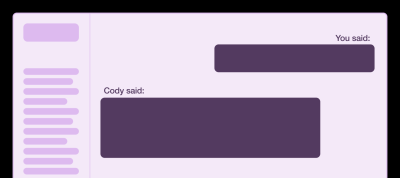
Screen reader users rely heavily on document headings to navigate complex interfaces. To mimic the ability of sighted users to quickly scan a conversation history, developers should insert visually hidden headings (sr-only) before each chat message, prefixed with conversational markers such as "You said:" or "[Agent name] said:".
Furthermore, landmark roles (main, nav, form, aside) should be deployed judiciously. While landmarks help users map out an application’s overall layout, over-using them—such as wrapping every individual chat message in a landmark or section element—pollutes the assistive technology’s landmark list. For a conversation spanning dozens of messages, this creates severe navigation fatigue. Instead, structured hidden headings should serve as the primary mechanism for traversing conversation histories.
Supporting Context & Metrics: Usability and Navigation
Beyond screen reader compatibility, keyboard-only users and individuals with motor control conditions face unique ergonomic challenges within immersive chat interfaces. Navigating long lists of chat sessions or complex multi-panel workspaces using standard tab keys can be physically exhausting and inefficient.
Composite Widgets and Skip Links
To streamline navigation, conversation lists should be designed as composite widgets. Once focus enters the list, users can navigate seamlessly using the Up and Down arrow keys, utilizing shortcuts like Home and End to jump instantly to the beginning or end of their session history.
Additionally, robust skip links must be embedded at the very top of the DOM. These links allow keyboard users to bypass global navigation elements and jump directly to the main conversation area or prompt input field with a single keystroke.
Simulating Desktop App Navigation: Control + F6
Because immersive LLM chat applications function essentially as desktop software (often deployed via Electron), supporting traditional application-level navigation patterns—such as Control + F6 and Control + Shift + F6—provides an invaluable workflow. By mapping these keypresses to shift focus dynamically between landmarks (such as jumping directly from the prompt input to the last generated LLM response), developers enable rapid, keyboard-based review and iteration loops.
Special Content: Tables and Code Blocks
Live region strings are processed as plain text, stripping away the semantic richness of HTML. Consequently, complex content structures like tables and code blocks require specialized handling:
Tables: Rather than reading raw cell data out of context, live region announcements should summarize the table’s structure (e.g., "Table containing a performance audit, with 4 columns and 36 rows").
Code Blocks: Reading thousands of lines of code character-by-character is untenable. Live announcements should instead state the filename, language, and total line count (e.g., "settings.json, 738 lines"), allowing the user to review the full, properly formatted semantic block at their leisure.
Official Statements & Expert Perspectives
Digital accessibility leaders emphasize that engineering inclusive AI interfaces requires moving beyond bare minimum compliance toward true usability.
"Accessibility is a core part of a functional digital experience. As the LLM chat pattern continues to spread like wildfire across the web, we risk excluding people if these experiences are not built with accessibility as a core consideration."
— Eric Bailey, Accessibility Engineer and Author
Bailey’s work underscores that exclusion in the digital age is multifaceted, resulting in quantifiable losses in human capability and autonomy. Furthermore, industry experts highlight that inclusive design cannot be achieved in a vacuum; it requires rigorous, ongoing validation from the disability community itself.
Collaborating with disabled users through inclusive UX research transforms software development from an exercise in compliance into an equitable design practice. As accessibility researcher Sarah Higley notes, treating disabled individuals as the ultimate experts in their own lived experiences is the single most effective way to eliminate hidden access friction.
Future Outlook
As artificial intelligence continues to reshape the contours of human-computer interaction, the responsibility of software engineers, product designers, and organizational leaders is clear. The proliferation of immersive LLM chat patterns must be matched by a corresponding commitment to inclusive engineering standards.
Looking ahead, the evolution of browser APIs—such as the eventual widespread adoption of native notification interfaces—will streamline the technical burden on developers. However, technology alone cannot solve exclusion. Organizations must bake accessibility budgets, regular refactoring cycles, localization, and comprehensive keyboard and screen-reader testing into their core development lifecycles.
Ultimately, designing LLM chat experiences that are accessible to assistive technology users does not degrade the experience for sighted or neurotypical users; rather, it yields more robust, flexible, and resilient software for everyone. By embedding empathy, technical precision, and inclusive research into the foundation of AI development, the tech industry can ensure that the promise of the AI revolution remains genuinely open to all.