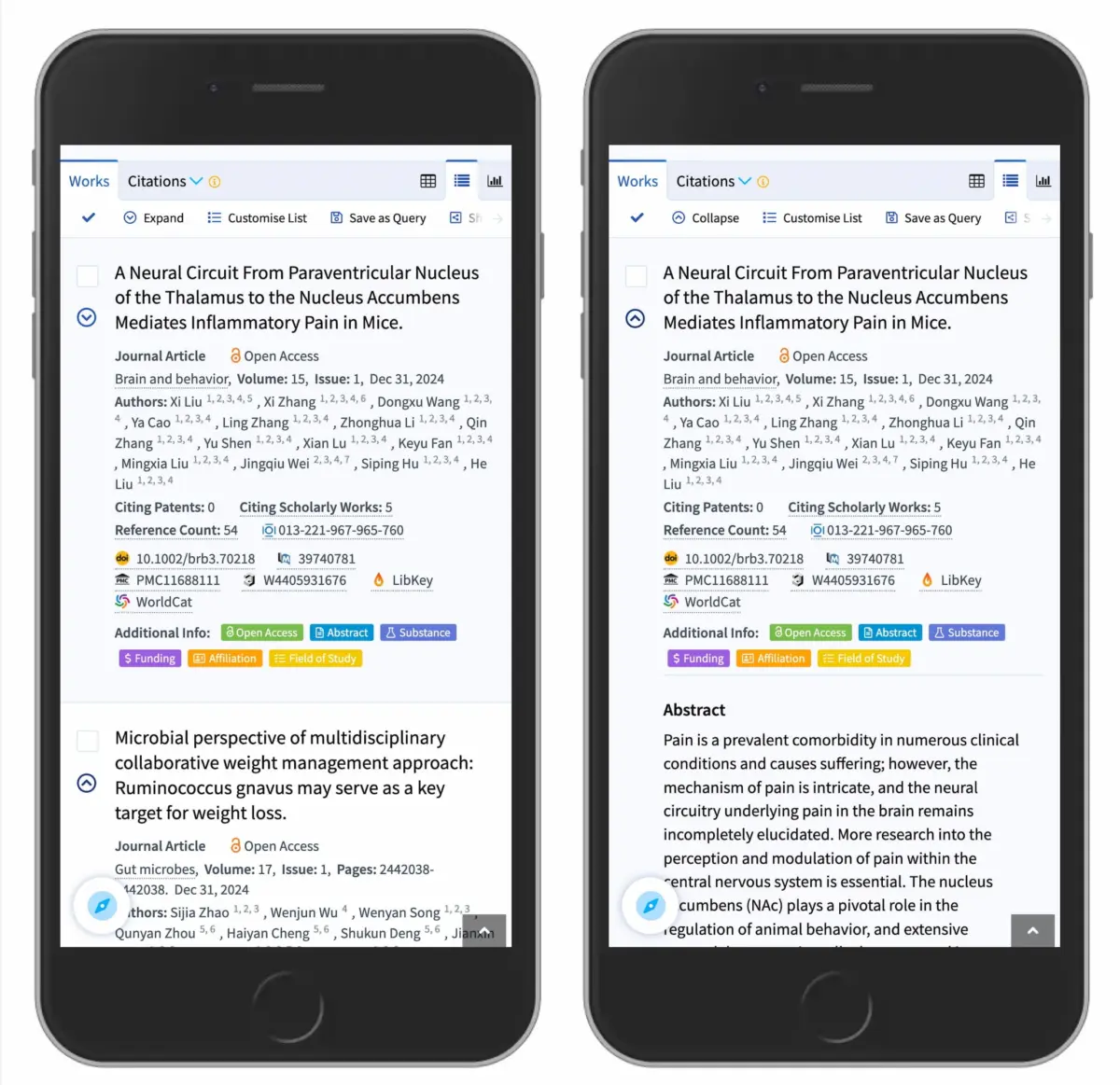
In the realm of digital product design and user experience (UX) architecture, few interface elements are as ubiquitous—or as frequently mishandled—as the expandable menu, commonly referred to as the accordion. At first glance, the accordion appears to be a triumph of minimalist design. It allows product designers to neatly tuck away secondary and tertiary layers of information, keeping interfaces clean, scannable, and free of vertical clutter. However, beneath this deceptive simplicity lies a minefield of cognitive friction and usability pitfalls.
Recent landmark research from the Nielsen Norman Group (NN/g) has cast a glaring spotlight on how users actually interact with these structural elements. The findings challenge long-held assumptions about visual signifiers, proving that minor adjustments to icon selection can dramatically alter user behavior, task completion rates, and error frequencies. Specifically, the study exposes the inherent dangers of split menus—configurations where the text label and its adjacent icon direct users to entirely different destinations—and debunks the chaotic implementation of multi-directional arrows.
For digital architects, developers, and UI/UX designers, the implications are profound. When designing navigation frameworks, the margin for error is razor-thin. Users operate on deeply ingrained mental models forged across decades of web browsing. Violating these subconscious expectations leads to immediate frustration, abandoned sessions, and lowered conversion metrics.
This comprehensive analysis delves deep into the anatomy of accordion navigation. By examining empirical research, behavioral psychology, real-world implementations, and expert recommendations, we will explore why the humble caret remains the gold standard of expansion icons, why split menus must be systematically eradicated, and how returning to fundamental web design principles—such as standard text underlining—creates resilient, frictionless digital experiences.
Detailed Chronology: The Evolution of Accordion Navigation and Usability Research
To understand why contemporary UI design has arrived at its current best practices, one must trace the evolutionary trajectory of the accordion component from its early desktop roots to its modern, mobile-first incarnations.
The Early Web and Desktop Paradigm (Late 1990s – Early 2000s)
In the nascent days of structured web hierarchies, expandable menus were largely restricted to desktop software interfaces, heavily inspired by classic operating system file trees (such as Microsoft Windows Explorer). During this era, functionality was strictly utilitarian. Interfaces relied heavily on explicit visual metaphors: the classic plus/minus (+/-) toggle or rigid folder icons. Users were expected to decipher these mechanical cues based on desktop software conventions.
The Responsive Web Transition (2010s)
As the mobile web exploded onto the scene, screen real estate vanished overnight. Designers were forced to condense massive, sprawling desktop information architectures (IAs) into thumb-friendly mobile layouts. This triggered a gold rush of UI experimentation.
In an effort to maximize space, designers began introducing creative iconographies. Arrows, chevrons, carets, plus signs, custom brand vectors, and abstract geometrical shapes flooded mobile navigation bars. Unfortunately, this stylistic divergence occurred largely in an empirical vacuum. Few teams tested whether users actually understood what a newly minted custom chevron meant in the context of a multi-tiered e-commerce menu.
The Modern Empirical Era (Present Day)
Recognizing a severe industry-wide deficit in empirical data, usability authorities—most notably the Nielsen Norman Group—began conducting rigorous, task-based user research. By tracking eye movements, click-maps, and user expectations across varied icon sets, researchers started mapping the exact psychological bridge between visual signifiers and physical interaction.
The resulting data shattered several prevalent design myths. Researchers discovered that users do not view icons as mere passive decorations; they treat them as core components of the interactive hit area. Furthermore, the studies revealed that users harbor distinct, rigid expectations regarding what happens when they interact with specific shapes. The era of guessing at UI iconography was officially brought to a close, replaced by data-driven design standards.
Supporting Context & Metrics: Decoding User Behavior and Icon Psychology
To build intuitive interfaces, designers must understand the cognitive load associated with different visual elements. The NN/g research on accordion icons provides critical metrics that illuminate how humans process web navigation cues.
The Power of the Default State: No Icon Equals Page Navigation
One of the most foundational insights from recent usability studies centers on the presence—or absence—of icons altogether. When a menu item features no icon, user expectations are remarkably uniform: they fully expect that tapping or clicking the item will take them directly to a brand-new page.
In contrast, when an arbitrary, custom icon is deployed, users frequently experience hesitation. Because custom icons rarely carry universal semantic weight, they fail to reliably signal accordion expansion. Consequently, users end up distributing their clicks fairly evenly between the text label and the icon itself. This empirical reality proves that an icon’s visual signal directly dictates the functionality of the entire touch target, rather than just acting as an isolated graphical element.
The Trap of the Split Menu
Perhaps the most alarming architectural anti-pattern highlighted in recent studies is the split menu. This design pattern occurs when a single menu row is bifurcated: the text label routes the user to a dedicated category page, while the adjacent icon toggles the accordion open or closed.
From a user perspective, split menus are an ergonomic disaster. Humans do not parse web interfaces with microscopic precision; they scan rapidly and tap with thumbs or cursors that possess a margin of error. When a user intends to expand a menu to view subcategories but accidentally triggers the text link, they are abruptly yanked away from their current context and thrust onto a new page. Usability testing confirms that split menus consistently produce high error rates, deep user frustration, and severe navigation friction.
To solve this, modern best practices dictate a unified interaction model: tapping the main category row (both text and icon together) should exclusively expose the dropdown menu. If users require direct access to the parent category’s landing page, that link must be housed cleanly inside the expanded menu—often labeled explicitly as an "Overview" page, as famously implemented by enterprise leaders like DHL.
Analyzing Icon Variants: Carets, Arrows, and Plus/Minus Signs
Not all expansion indicators are created equal. The research breaks down the psychological baggage carried by the industry’s most popular iconography:
The Caret / Down-Triangle (The Gold Standard): Research conclusively demonstrates that the caret pointing downward (▼) is the safest, most universally understood icon for signaling collapsible and expandable content. When users interact with a caret, they exhibit a strong behavioral bias toward clicking the icon itself, recognizing its specific functional role. Upon interaction, smoothly transitioning the caret to point upward (▲) or sideways (▶) instantly communicates state change without cognitive overhead.
Arrows (The Overloaded Signifier): Right-facing (▶) and down-facing (▼) arrows are frequently deployed in navigation menus, but they suffer from severe semantic ambiguity. A right-facing arrow is classically associated with lateral progression or page navigation, while a down-facing arrow does not inherently imply accordion behavior. Furthermore, standard arrows (←/→/↑/↓) are heavily overloaded across digital spaces, used interchangeably for scrolling, pagination, sliding, and internal page jumps.
Plus and Minus Signs (+/-): While generally understood to represent expansion and collapse, plus/minus signs carry heavy contextual baggage. In modern UI design, a plus sign frequently signifies actions entirely unrelated to navigation: adding an item to a shopping cart, saving an item for later, zooming into an image, or creating a new file. In multi-level hierarchical menus where multiple tiers are expanded simultaneously, the +/- system quickly collapses under its own weight, confusing users about which level they are currently manipulating.
Official Statements and Industry Consensus
Leading voices in the UX and web development communities have rallied around a minimalist, evidence-based ethos when it comes to navigation architecture. Industry authorities consistently emphasize that clarity should always supersede stylistic novelty.
In publications detailing the NN/g findings, usability experts summarize the core philosophy of link design with refreshing bluntness:
"If it’s a link, the easiest and most effective way is to simply underline it — without any arrow, caret, or other icon. Perhaps it’s not particularly exciting, but it works flawlessly every single time."
This sentiment echoes a broader pushback against over-engineered interface design. For years, digital agencies and corporate design systems have gravitated toward hyper-stylized menus featuring dynamic, multi-directional arrows that shift angles based on complex nested states. However, empirical testing shows that users do not appreciate these micro-animations if they obscure the primary goal: fast, frictionless information retrieval.
Furthermore, major enterprise organizations are actively auditing their digital properties to purge confusing navigation patterns. Global logistics giants, academic search engines (such as Lens.org), and massive e-commerce platforms have systematically phased out split menus in favor of unified accordion rows paired with dedicated "Overview" sub-links. The industry consensus is unequivocal: simplicity is the ultimate sophistication.
Future Outlook: The Next Generation of Accessible, Intuitive Navigation
As we look toward the future of web and mobile interface design, the principles governing accordion icons and navigation hierarchies will face new tests. With the rapid expansion of multi-modal interfaces, voice-assisted browsing, and complex spatial computing environments (such as augmented and virtual reality), the way humans interact with hierarchical data will continue to evolve.
However, the core psychological tenets uncovered in recent usability research will remain immutable. Humans rely heavily on established mental models. As digital products become more complex, the burden of maintaining clarity falls squarely on the shoulders of UX architects and front-end developers.
Key Takeaways for Future Design Systems:
Embrace the Caret: Make the downward-pointing caret (▼) the non-negotiable default standard for all collapsible accordions and dropdown menus, animating it cleanly upon state change.
Eliminate Split Menus: Never force a single menu row to serve dual, competing purposes. Keep the entire row unified for expansion, and place dedicated landing page links ("Overview") safely inside the revealed drawer.
Rethink Text Links: If an element’s primary purpose is to transport the user to a new page, rely on the time-tested convention of standard text underlining rather than cluttering the interface with ambiguous directional arrows.
Audit for Cognitive Overload: Systematically eliminate overloaded icons like plus/minus signs and complex multi-directional arrows from complex, multi-tiered navigation systems.
By anchoring design decisions in rigorous empirical research rather than fleeting aesthetic trends, product teams can build digital ecosystems that are not only visually polished, but deeply intuitive, accessible, and frustration-free for every user.