

Executive Overview
In the realm of digital user interface (UI) and user experience (UX) design, few components appear as deceptively simple as the accordion. Designed to efficiently organize dense information architecture by collapsing and expanding content sections, accordions are a staple of modern web and mobile applications. Yet, despite their ubiquity, a surprising amount of friction persists in how users interact with them.
Recent landmark usability research from the Nielsen Norman Group (NN/g) sheds light on a foundational flaw in contemporary UI design: the persistent misuse of accordion icons, the ambiguous nature of overloaded symbols, and the detrimental impact of split menus. For years, designers have attempted to reinvent the wheel, utilizing custom icons, multi-directional arrows, and fragmented hit targets that separate text labels from interactive triggers.
The empirical findings are clear, definitive, and somewhat humbling for the design community: simpler is invariably better. When an interface relies on custom symbols or splits its actions—forcing the text label to navigate to a new page while an adjacent icon expands a menu—user error rates skyrocket. Conversely, adhering to standardized signifiers—most notably the humble, unpretentious caret—drastically reduces cognitive load.
This comprehensive investigative report examines the psychological and behavioral responses of users interacting with accordion menus. By analyzing empirical research, structural design flaws, and real-world implementations, we will deconstruct why certain design patterns succeed while others alienate users, providing a definitive blueprint for intuitive navigation design.

Detailed Chronology: The Evolution of Disclosure Patterns
To understand the current state of accordion design, one must examine the historical evolution of disclosure patterns in digital interfaces. In the early days of graphical user interfaces (GUIs) and desktop software, disclosure triangles served as the undisputed standard for hierarchical data visualization. Popularized by operating systems like Mac OS and Microsoft Windows, these simple, angled triangles explicitly communicated a two-state reality: pointing right to indicate collapsed, hidden content, and pointing down to indicate expanded, revealed sub-items.
As the web matured and transitioned from static document repositories to dynamic, application-like experiences, designers began experimenting with novel ways to handle space constraints—particularly with the advent of responsive mobile design. The necessity of hiding navigation menus behind "hamburger" icons and nested accordions forced designers to look for alternative signifiers.
During this transitional era, several competing patterns emerged:
- The Plus/Minus (
+/-) paradigm, borrowed heavily from traditional desktop outlining tools and tree views. - The directional arrow paradigm, which often conflated scrolling indicators, pagination cues, and internal page jumps with expansion triggers.
- Custom iconography, where brands attempted to infuse personality into their UI by using proprietary vectors or abstracted graphical shapes.
- The split menu pattern, an architectural attempt to serve two masters by allowing a single component item to both navigate to a destination page and expand a sub-menu via a localized icon.
Unfortunately, this proliferation of choices occurred largely in a vacuum of empirical testing. Designers frequently prioritized aesthetic novelty over cognitive ergonomics. Over the last decade, usability laboratories began rigorous testing to measure actual user behavior against these theoretical design patterns. The resulting data—culminating in recent definitive studies by research institutions like NN/g—marked a turning point. For the first time, the digital design community had hard, quantitative proof that many of the "clever" innovations introduced in the 2010s were actively degrading the user experience.

Supporting Context & Metrics: Decoding User Behavior and Hit Targets
What happens in the mind of a user when they encounter a menu item with an unfamiliar icon, or no icon at all? UX research provides fascinating metrics that demystify user expectations and expose the hidden pitfalls of modern interface design.
1. The Absence of Icons Signifies Page Navigation
When a menu item is presented entirely devoid of an icon, user expectations are remarkably uniform. Empirical studies confirm that without a visual signifier indicating expansion, users overwhelmingly assume that tapping or clicking the item will take them directly to a new page.
This behavior highlights a critical rule of thumb for information architecture: if a component lacks an expansion icon, users will treat it as a direct link. To prevent ambiguity, best practices dictate that such links should be clearly underlined, conforming to time-tested web conventions. While an underlined link may lack visual flair, it operates with zero ambiguity, succeeding flawlessly across diverse demographics and digital literacy levels.
2. The Myth of the Custom Icon
Many designers commission custom icons to match a brand’s unique design language. However, usability testing reveals that users routinely struggle with bespoke or non-standard custom icons. Because these graphics lack universal cultural or digital precedent, they fail to signal accordion behavior effectively.

Furthermore, behavioral tracking reveals an illuminating metric regarding touch and click targets: users are remarkably egalitarian in where they tap. Across most icon types (arrows, plus signs, custom graphics), participants split their clicks fairly equally between the text label and the icon itself. This means that an icon choice does not merely serve as a passive visual signal—it directly dictates the functional success of the entire hit area.
3. The Danger of Split Menus
Perhaps the most damaging design pattern uncovered in recent research is the split menu (or split-button accordion pattern). In a split menu setup, the text label of a category links directly to a parent overview page, while an adjacent icon (such as an arrow or plus sign) expands the accordion menu to show sub-categories.
This pattern is a usability disaster. Users do not parse the interface with the microscopic attention to detail that designers assume. When a user wants to explore sub-categories, they frequently click the text label expecting an expansion, only to be abruptly navigated away from their current page. Conversely, users seeking the main category page often click the icon by mistake.
Usability tests confirm that split menus consistently generate high rates of user error and frustration. A far more reliable architecture abandons the split button entirely. Instead, tapping the main category expands the menu, and a dedicated "Overview" link is placed cleanly inside the expanded dropdown list. This eliminates conflicting touch targets and aligns interaction mechanics with user expectations.

Official Insights & Comparative Analysis of Signifiers
To establish a definitive hierarchy of accordion indicators, researchers have cross-examined the four most common signifiers: Carets, Arrows, Plus/Minus symbols, and No Icons. Each comes with distinct cognitive baggage.
[Icon Type]        [Primary User Expectation]       [Overload Risk]       [Reliability Score]
-------------------------------------------------------------------------------------------------
Caret (▼/▲/▶)      Expand/Collapse Sub-menu         Low                   High (Safest Choice)
Plus/Minus (+/-)   Add/Expand or Zoom               High                  Moderate
Arrows (→/↓)       Navigation, Scroll, or Jump      Very High             Low
No Icon            Direct Page Navigation           None (When Underlined) High (For Links)
The Caret: The Gold Standard
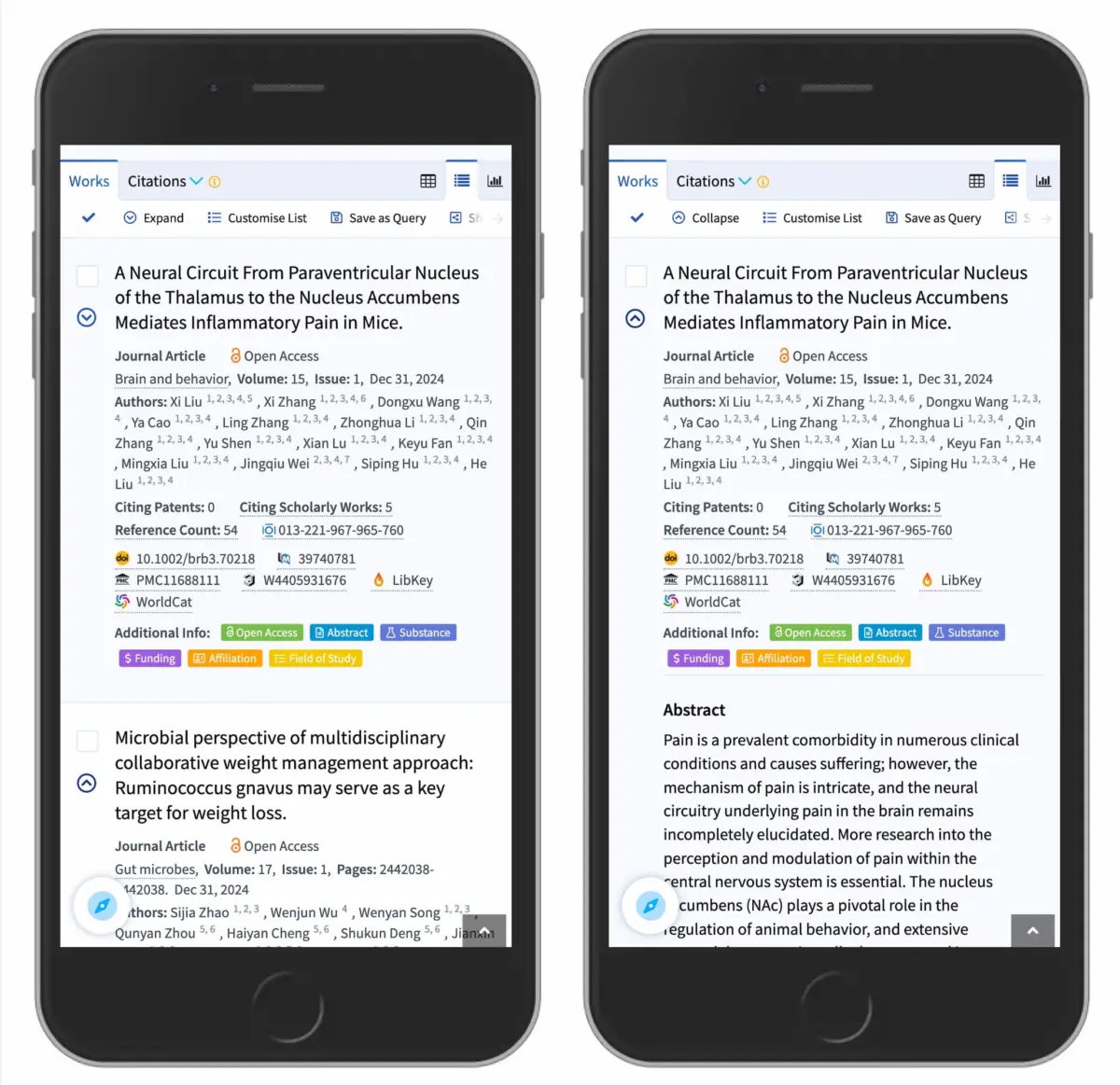
The caret (a simple angled wedge or triangle, such as ▼, ▲, or ▶) emerges from usability testing as the single safest and most reliable icon choice. Users universally associate the downward-pointing caret with hidden content waiting to be revealed. When interacted with, transitioning the caret to point upward or sideways provides an immediate, unambiguous state change confirmation. Whether applied to mobile app navigation or desktop scholarly search filters (such as implementations seen on platforms like Lens.org), the caret performs predictably and effectively.
Plus and Minus: Understood, But Overloaded
While plus (+) and minus (-) symbols are generally understood to represent expansion and contraction, they suffer from what cognitive psychologists call semantic overload. In modern digital ecosystems, a plus sign can mean an array of entirely different actions:
- Adding an item to a shopping cart.
- Saving an article for later reading.
- Zooming in on an image or map.
- Expanding a multi-level data tree where multiple tiers are open simultaneously.
Because the plus sign is pressed into service for so many disparate tasks, relying on it for complex, multi-level accordion navigation frequently leads to user hesitation and misinterpretation.

Arrows: The Ambiguity Trap
Right-pointing (→) and downward-pointing (↓) arrows are notoriously problematic. While a right arrow is frequently used to hint at navigation or drilling down into a sub-page, it is visually conflated with scrolling indicators, pagination cues, and internal page anchors. Using arrows to toggle accordion states introduces unnecessary cognitive friction because the arrow’s directional vector easily implies physical movement (scrolling or jumping) rather than structural state changes (opening or closing).
Future Outlook: Simplifying the Digital Landscape for Better Accessibility
As we look toward the future of interface design, the overarching lesson from empirical usability research is a call for radical simplicity. The digital landscape is increasingly crowded, noisy, and cognitively demanding. Users navigate complex applications across varying device form factors—from ultra-wide desktop monitors to compact mobile viewports—often while distracted.
In this environment, sophisticated or overly clever UI patterns are liabilities. Design systems of the future must prioritize clarity, predictability, and ergonomic efficiency over aesthetic novelty.
Key takeaways for future-proof UI architecture include:

- Embrace Standardization: Stop attempting to reinvent basic interaction patterns like accordions. When a pattern works—such as the downward-pointing caret—standardize it across your organization’s design system.
- Eliminate Split Interactions: Design components with singular, clear purposes. Avoid coupling page navigation and menu expansion into a single fractured component. Give each action its own dedicated, unambiguous UI real estate.
- Respect Hit Targets: Recognize that users interact with labels and icons interchangeably. Ensure that the entire row or button area acts as a cohesive, forgiving hit target.
- Prioritize Accessibility: Clean, standard iconography paired with explicit semantic HTML and ARIA attributes ensures that screen readers and assistive technologies can interpret state changes accurately, fostering a more inclusive web for users of all abilities.
Ultimately, the best design is invisible. By aligning interface patterns with natural human expectations—keeping links underlined, eliminating split menus, and relying on the trusted caret—designers can build digital experiences that feel effortless, intuitive, and profoundly satisfying to use.