

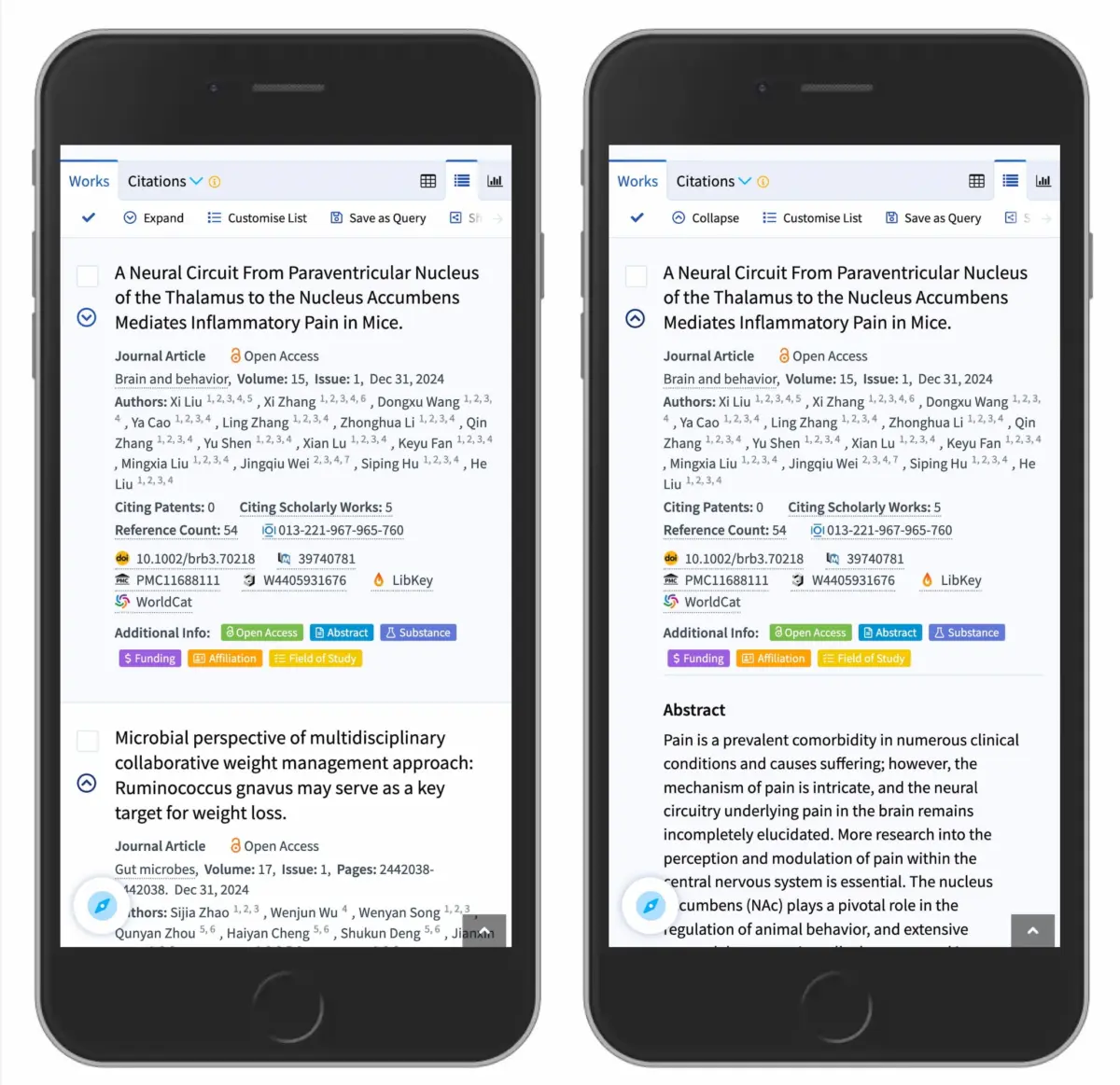
Executive Overview
In the intricate world of digital product design, few interface components are as ubiquitous—or as frequently mishandled—as the humble accordion. Used everywhere from mobile navigation drawers and FAQ sections to complex e-commerce filter menus, accordions are designed to manage spatial constraints by hiding and revealing content on demand. Yet, despite their widespread adoption, a persistent friction remains between interface expectations and user behavior.
Recent usability research from industry authorities like the Nielsen Norman Group (NN/g) sheds light on a foundational truth of interaction design: minor visual inconsistencies can severely degrade user trust and task efficiency. Specifically, the choice of expansion icons—whether a caret, a plus sign, a chevron, or an arrow—directly dictates where a user clicks and what they expect to happen.
This article explores the empirical findings behind accordion icon selection. We will examine why custom icons fail, why "split menus" represent a persistent UX anti-pattern, how overloaded symbols like plus/minus signs create cognitive friction, and why the standard downward-pointing caret remains the undisputed champion of predictable interaction design. By stripping away redundant decoration and embracing established psychological models, designers can build cleaner, more intuitive interfaces that respect user expectations.
Detailed Chronology: The Evolution of Accordion Usability Research
To understand how we arrived at our current best practices, we must trace how interaction designers have historically approached disclosure widgets.

The Early Web and the Mystery Meat Navigation Era
In the early days of web development, interactive disclosure was far from standardized. Developers and designers experimented with various text links, custom folders, tree-views adapted from desktop operating systems, and arbitrary graphical glyphs. During this period, terms like "Mystery Meat Navigation" (MMN) were coined to describe clickable elements whose destinations or functions were entirely opaque until hovered over or clicked.
As mobile devices proliferated, the canvas shrank dramatically. Accordions transitioned from being a supplementary desktop UI feature to a primary architectural pattern for responsive menus. Mobile designers desperately needed a way to tuck multi-tiered site maps away without overwhelming users. Unfortunately, this rush to conserve vertical space led to a wild west of interface signifiers. Designers began pairing random arrows, floating plus signs, and bespoke brand icons next to category labels, assuming users would intuitively grasp their intent.
The Shift Toward Empirical Usability Testing
Recognizing the widespread confusion caused by inconsistent iconography, UX researchers began conducting rigorous, task-based usability studies. Rather than relying on designer intuition or aesthetic preference, organizations like the Nielsen Norman Group began tracking user eye movements, click maps, and task success rates regarding specific disclosure affordances.
The results of these studies marked a turning point. They proved that users do not view UI icons in isolation. Instead, users evaluate the entire hit area of a menu item, treating both the text label and the accompanying icon as a unified interactive target. Furthermore, the studies revealed a strict hierarchy of mental models: users possess deeply ingrained expectations about what a specific shape (or the total absence of a shape) implies about page navigation versus content expansion.

Supporting Context & Metrics: The Anatomy of an Icon Study
To appreciate why certain icons succeed while others falter, we must examine the empirical data driving modern UX guidelines.
1. The Perils of the "No Icon" Approach
When a menu item appears without any icon whatsoever, user expectations tilt decisively in one direction: they expect to be navigated to a brand-new page.
Data from usability trials show that naked text labels—even when nested inside what designers intend to be a parent menu—are universally interpreted as direct hyperlinks. If a user taps "Electronics" and there is no visual indicator to suggest otherwise, they anticipate an immediate transition to the overarching Electronics hub. When that tap instead triggers an inline accordion expansion, it can disorient the user, who feels as though the application failed to register their navigation intent.
2. The Trap of Custom and Bespoke Icons
Many design teams, striving for a unique brand identity, opt for custom icons or heavily stylized graphical motifs to represent expansion. Usability metrics consistently show that this is a tactical error.

Custom icons fail because they lack historical precedent in human-computer interaction. Because users cannot instantly categorize them, they hesitate. Even worse, eye-tracking and click-mapping studies demonstrate that users distribute their taps fairly equally between the text label and the custom icon. If the icon fails to signal expansion clearly, the user’s erratic tapping behavior leads to accidental navigations or missed interactions.
3. The Overloaded Semantics of Plus/Minus (+ / -) Signs
At first glance, the plus and minus symbols seem like logical choices for disclosure. They communicate binary states: "add/expand" versus "subtract/collapse."
However, usability testing reveals that plus and minus signs suffer from severe semantic overloading. Across different digital environments, a plus sign can mean:
- Add item to shopping cart
- Save item for later
- Zoom in on an image or map
- Create a new document
When applied to multi-level navigation systems—where multiple accordions might be expanded simultaneously—the plus/minus paradigm breaks down. A user looking at a deeply nested tree view can easily misinterpret a plus sign as a transactional action rather than a structural disclosure control.

4. Arrows vs. Carets: Directional Confusion
Arrows ($rightarrow$ / $leftarrow$) and chevrons ($downarrow$ / $uparrow$) are among the most frequently deployed interface elements, yet they carry dangerous ambiguities.
A right-facing arrow ($rightarrow$) is traditionally understood as a forward navigational cue—an explicit promise that tapping the element will transport the user deeper into a sub-page or execute a forward step in a wizard. Conversely, a downward arrow ($downarrow$) attempts to signal vertical expansion. When these symbols are mixed within the same menu system, users experience cognitive friction. They cannot reliably distinguish whether an arrow means "go forward to a page" or "open this drawer downward."
Official Statements and Industry Best Practices
Drawing from comprehensive UX research, industry leaders and design systems have crystallized a set of definitive rules for handling accordions, links, and disclosure menus.
The Golden Rule of Accordion Icons: The Caret Reigns Supreme
According to usability benchmarks, the safest, most reliable icon choice for accordion expansion is the caret (or triangle) pointing downward ($nabla$) by default, transforming into a caret pointing upward ($Delta$) or sideways ($triangleright$) upon interaction.

The caret is universally understood within digital interfaces as a structural disclosure mechanism. It does not carry the transactional baggage of a plus sign, nor does it carry the aggressive navigational promise of a forward arrow. It simply signals: "There is more content hidden beneath this threshold; tap here to reveal or conceal it."
The Abolition of Split Menus
One of the most damaging anti-patterns identified in modern web design is the split menu (or split button) for navigation accordions.
A split menu occurs when the text label of a category links directly to an overview page, while the adjacent icon is programmed to open the accordion menu. Usability tests show that this pattern is disastrous for user efficiency. Users rarely parse the micro-boundary between the text label and the icon; they click intuitively across the entire component.
When a user intends to open a menu to see sub-categories, but inadvertently triggers a page load because their finger landed slightly on the text label, frustration ensues.

The Recommended Alternative: Eliminate split menus entirely. Make the entire parent row function exclusively as the accordion disclosure toggle. To provide users with access to the main category overview page, simply include a dedicated "Overview" or "All [Category Name]" link as the very first item inside the expanded accordion dropdown. Major logistics and e-commerce platforms—such as DHL—have successfully adopted this pattern, ensuring a clean, error-free navigation experience.
The Simplicity of Text Links
If an element is genuinely meant to navigate the user to a new page rather than open an accordion, designers should rely on the oldest, most robust signifier in web history: the underline.
A text link should be underlined. It requires no arrows, no carets, and no decorative ornaments. While it may lack visual flair, it works flawlessly across every demographic, screen size, and assistive technology device every single time.
Future Outlook: Where Interface Design is Heading
As we look toward the future of digital product design, the mandate for clarity, accessibility, and cognitive ease becomes even more critical.

Cross-Platform Consistency and Design Systems
The democratization of design systems—through tools like Figma, Tailwind CSS, and enterprise UI libraries—is gradually weeding out custom, confusing accordion implementations. As standardized component libraries adopt NN/g-backed best practices, users are encountering fewer idiosyncratic navigation patterns. The normalization of the downward caret across mobile apps, desktop web applications, and progressive web apps (PWAs) creates a frictionless cross-device mental model.
Accessibility and Screen Reader Optimization
Future iterations of UI components will place an even greater emphasis on inclusive design. Correctly utilizing semantic HTML elements (<details> and <summary> tags) alongside explicit ARIA attributes (aria-expanded, aria-controls) ensures that screen reader users receive the exact same contextual cues that sighted users derive from carets. When visual icons and programmatic state indicators work in harmony, the digital landscape becomes exponentially more accessible.
The Triumph of Minimalism
Ultimately, the evolution of accordion design points toward a broader industry realization: simplicity wins.
By purging redundant arrows, abandoning convoluted split menus, and respecting the psychological boundaries between page navigation and content disclosure, designers can eliminate user error. The future of interface design is not about inventing clever new symbols; it is about respecting the established habits of human cognition and letting content take center stage.